






Connector Reliability: Preventing Failed Flows and Integration Delays
- Building dependable workflow integrations from the start
- Map dependencies before building the flow
- Choose a trigger that matches the business requirement
- Confirm authentication, permissions, and environment ownership
- Preventing failures through testing, recovery, and monitoring
- Compare trigger and recovery patterns
- Design error handling around business impact
- Monitor service limits and operational signals
- Connecting digital workflow reliability to industrial hardware
- Match connector selection to site conditions
- Evaluate suppliers with evidence, not category labels
- Build a lifecycle plan for the complete integration
- Frequently Asked Questions
Reliable workflow automation depends on more than choosing a connector: teams must validate authentication, permissions, trigger behavior, throttling, data formats, error handling, and downstream dependencies before production. In Microsoft Power Automate, connector reliability is a combination of service availability, configuration quality, and resilient flow design. When workflows depend on equipment data, physical connection quality also matters: a stable digital integration cannot compensate for intermittent signals from a field device. This guide explains how to prevent failed flows, shorten troubleshooting cycles, compare common trigger patterns, and evaluate circular connectors, industrial connectors, and Heavy Duty Connectors as part of an end-to-end reliability plan.
Building dependable workflow integrations from the start
A connector is the interface through which a flow accesses a service, system, or data source. It can expose triggers that start a workflow, actions that perform operations, or both. Connector availability does not guarantee that a particular flow will work reliably: the user identity, service permissions, data schema, environment settings, and target system capacity must all align. Microsoft’s connector reference helps teams review available connectors and their documented capabilities, but project owners still need to test the intended business scenario.
Map dependencies before building the flow
Start with a process map that identifies the event source, every connector action, the system of record, and the business outcome. Record which identity owns each connection, what permissions it requires, and whether the flow uses a personal account, service account, or managed organizational identity. This exposes common failure points early, including expired credentials, revoked permissions, environment mismatches, unavailable APIs, and dependencies on a user who may leave the organization.
For each step, define the expected input and output. A flow that receives a date as text but sends it to a system expecting a timestamp can fail even when both services are online. Document required fields, optional fields, accepted formats, null behavior, and unique identifiers. These details are especially important when a source system changes its schema or when a flow is transferred between development, test, and production environments.
Choose a trigger that matches the business requirement
Trigger design affects both responsiveness and operational load. Event-based triggers can respond when a source system notifies the workflow, while polling triggers check for changes at an interval. The appropriate option depends on the connector’s supported behavior, the acceptable response time, event volume, and any service limits. A frequent polling schedule may appear to improve speed, but it can increase requests and make throttling more likely. An event-driven design may reduce unnecessary checks, but it still requires a plan for missed events, duplicate notifications, and downstream outages.
Set a realistic service-level objective for the complete process, not just the time taken by one connector action. A request may pass through a trigger, data transformation, approval, and destination update; delays at any stage can affect the end-to-end result. Teams should establish how quickly a flow must respond, how long it may remain in a retry state, and when a delayed transaction should be escalated to an operator.
Confirm authentication, permissions, and environment ownership
Connection ownership is a procurement and governance concern as well as a technical one. Before launch, verify that connection references point to the correct accounts and services in each environment. Define who can create, edit, approve, and support production flows, and ensure that credentials are handled through approved organizational practices. A flow that works only under its creator’s account presents a continuity risk even if it passes initial testing.
Where a custom API is required, document its authentication method, request and response schemas, and expected error responses. Microsoft’s custom connector guidance describes how to define an API interface for Power Automate. Treat the connector definition as a maintained integration asset: version changes, endpoint changes, and authentication updates should be reviewed and tested instead of being introduced directly into a live workflow.
Preventing failures through testing, recovery, and monitoring
Integration testing should reproduce the conditions that cause operational incidents, not merely confirm that a successful sample record can pass through the flow. Test expired or invalid credentials, missing fields, unexpected values, duplicate events, slow responses, service unavailability, and permission changes. Include realistic data volumes and test the workflow in the same environment structure intended for production. This reveals issues that simple demonstrations often miss.
Compare trigger and recovery patterns
The table below summarizes common integration patterns and the operational controls buyers should validate. Actual features and limits vary by connector and service, so teams should confirm the behavior for their selected components in the applicable documentation.
| Pattern | How it works | Typical reliability consideration | Validation focus |
|---|---|---|---|
| Polling trigger | Checks a source for qualifying changes at a configured or connector-defined interval. | Detection time depends on the polling behavior, and repeated checks may consume service capacity. | Confirm interval behavior, request limits, duplicate handling, and acceptable response time. |
| Event-based trigger | Starts a flow when the source service sends or exposes an event. | Event delivery, retries, ordering, and duplicate notifications may depend on the source service. | Test delivery interruptions, duplicate events, event payload changes, and recovery procedures. |
| Retry and recovery handling | Repeats or routes an unsuccessful operation according to configured behavior and flow logic. | Retries can help with temporary failures but may repeat a non-idempotent action or extend processing time. | Define retry limits, distinguish transient from permanent errors, and prevent duplicate business transactions. |
Design error handling around business impact
Not every failure should trigger the same response. A temporary timeout may justify a retry, while invalid data or a permission error usually requires correction rather than repetition. Classify errors by likely cause, define which actions are safe to retry, and specify what happens when the retry window is exhausted. If an action creates a payment, shipment, or production order, consider whether repeating it could create a duplicate transaction. Use unique transaction identifiers or destination-system checks where the business process supports them.
Microsoft documents flow error-handling approaches, including configuring actions to run after preceding actions fail, time out, or are skipped. Review the relevant Power Automate error-handling guidance when designing failure paths. A useful recovery path should preserve enough context for diagnosis: flow name, environment, affected record or correlation identifier, failed action, error category, and time of occurrence. Avoid placing secrets or unnecessary personal data in logs and notifications.
Monitor service limits and operational signals
Connector and platform limits can affect throughput, concurrency, and the volume of requests a workflow can process. These limits are not a substitute for capacity planning: expected transaction peaks, batch sizes, frequency, and downstream service capacity should all be considered. Microsoft’s Power Automate limits and configuration documentation is a useful starting point for checking platform constraints, but connector-specific and destination-service documentation should also be reviewed.
Monitor more than whether a flow is enabled. Track failed and suspended runs, retry counts, processing duration, backlog growth, and business outcomes such as records not reaching the system of record. Establish alert ownership and an escalation route before go-live. A useful alert tells an operator what failed, which business process is affected, and what action is expected; repeated notifications with no clear owner can create alert fatigue rather than faster recovery.
Connecting digital workflow reliability to industrial hardware
In manufacturing, infrastructure, energy, and other equipment-intensive environments, business workflows may depend on sensor readings, machine states, inspection results, or maintenance events. The software connector transfers or acts on available data, but the source signal must first be captured consistently. Vibration, moisture, dust, temperature, mating cycles, cable strain, and installation conditions can all affect the performance of a physical connection. As a result, integration planning should include the electrical and mechanical path from equipment to the data platform.
Match connector selection to site conditions
Procurement teams should specify the application, operating environment, contact arrangement, current and voltage requirements, cable type, mating frequency, installation space, and maintenance approach before comparing connector options. A circular connector may suit compact equipment connections where a round interface and secure coupling are appropriate. Industrial connectors are selected across a range of equipment and site requirements, while a Heavy Duty Connector may be relevant where a robust multi-contact interface is needed for demanding industrial installations. The exact selection must follow the equipment design and applicable electrical requirements; product category alone does not establish suitability.
Ingress protection requirements should be defined against the actual exposure expected at the installation point. The IP Code in IEC 60529 classifies degrees of protection provided by enclosures, but a rating should not be treated as a blanket guarantee for every assembled installation. Buyers should confirm how the rating applies to the complete connector arrangement, including mating condition, seals, cable entry, and installation method. This helps prevent a mismatch between a component specification and real site conditions.
Evaluate suppliers with evidence, not category labels
Supplier evaluation should connect technical requirements to documented controls. Ask for product drawings, materials and contact information, ratings, applicable test documentation, assembly instructions, and traceability details relevant to the purchase. Confirm how product revisions are communicated and whether replacement parts remain compatible with installed equipment. A supplier’s quality-management approach can also inform procurement review; ISO 9001 describes requirements for a quality management system, but buyers should verify any specific certification claim and its scope rather than assume that a product itself is certified.
For projects linking industrial equipment to digital workflows, our product range includes circular connectors, industrial connectors, and Heavy Duty Connectors. These product categories can support the physical connection layer in equipment and infrastructure applications, while the software integration layer is assessed separately for API behavior, access control, capacity, and recovery. This distinction helps buyers avoid treating a single component as a complete reliability solution: dependable results require suitable hardware, sound installation, stable source data, well-designed workflows, and accountable support processes.
Build a lifecycle plan for the complete integration
Before procurement approval, align the equipment supplier, automation team, IT owner, and operations team on interface requirements and acceptance criteria. Include commissioning checks, a baseline record of configuration, spare-parts planning where the application warrants it, and a process for reporting intermittent faults. For digital flows, maintain ownership of connections and documentation when personnel or environments change. For physical interfaces, establish inspection and replacement criteria appropriate to operating conditions and the equipment manufacturer’s instructions.
Reliability should be measured at the business-process level. Useful indicators include the proportion of successful transactions, time to detect and recover from a failure, duplicate or missing records, and the number of manual interventions required. Reviewing those measures with both software and equipment stakeholders helps identify whether an issue originates in source data, the connector, the network, the workflow logic, or the physical interface. That evidence supports targeted improvements instead of costly, broad redesigns.
Contact our team to discuss circular connectors, industrial connectors, and Heavy Duty Connectors for your equipment and integration requirements.
Frequently Asked Questions
Why do workflow connector flows fail?
Common causes include expired credentials, revoked permissions, environment mismatches, unavailable APIs, changed data schemas, service limits, and downstream system capacity. Testing should also cover missing fields, unexpected values, duplicate events, slow responses, and temporary service interruptions.
How should a team choose between polling and event-based triggers?
The choice depends on the connector’s supported behavior, required response time, event volume, and service limits. Polling checks for changes at an interval, while event-based triggers start when the source sends or exposes an event. Validate request capacity, delivery behavior, duplicate handling, and recovery requirements for the selected connector.
What is the best way to handle failed flow actions?
Classify errors by cause and business impact. Retry temporary failures when the action is safe to repeat, but route permanent errors such as invalid data or permission problems for correction. Define retry limits, preserve diagnostic context, and use unique transaction identifiers or destination checks where needed to prevent duplicate operations.
What should buyers test before deploying an integration?
Test authentication failures, permission changes, missing and unexpected data, duplicate events, slow responses, service outages, and realistic transaction volumes. Validate the workflow in the intended environment structure and confirm its trigger behavior, service limits, recovery path, and monitoring ownership.
How do industrial connectors affect digital workflow reliability?
Workflows that depend on equipment data need a consistent source signal. Physical connectors can be affected by vibration, moisture, dust, temperature, mating cycles, cable strain, and installation conditions. Buyers should match connector requirements to the equipment and site, while evaluating the software integration layer separately.
What should a buyer request from an industrial connector supplier?
Request product drawings, materials and contact information, ratings, applicable test documentation, assembly instructions, and relevant traceability details. Confirm product revision communication, replacement-part compatibility, and how any supplier quality-management certification claim applies to its stated scope.
Maintenance Checklist for Long-Lasting Power Cable Connectors
Female Panel Connector IP67 vs IP65: Which to Use?
Wholesale circular electrical connectors manufacturer and supplier
Certifications and Standards for In-Line Wire Connectors
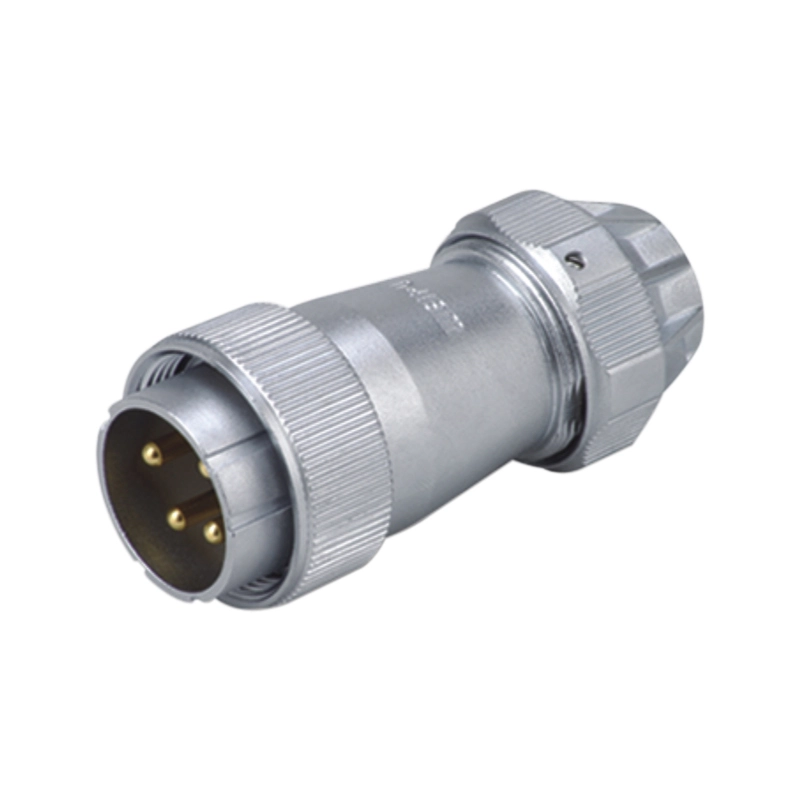
Weipu WF Series Industrial Threaded Connectors with IP67 Protection
WEIPU WF Series Industrial Threaded Connectors offer robust IP67 protection, ensuring reliable performance in harsh environments. Designed for secure, waterproof connections, these IP67 connectors are ideal for industrial applications requiring durability and stability. Trust WEIPU for quality and safety.
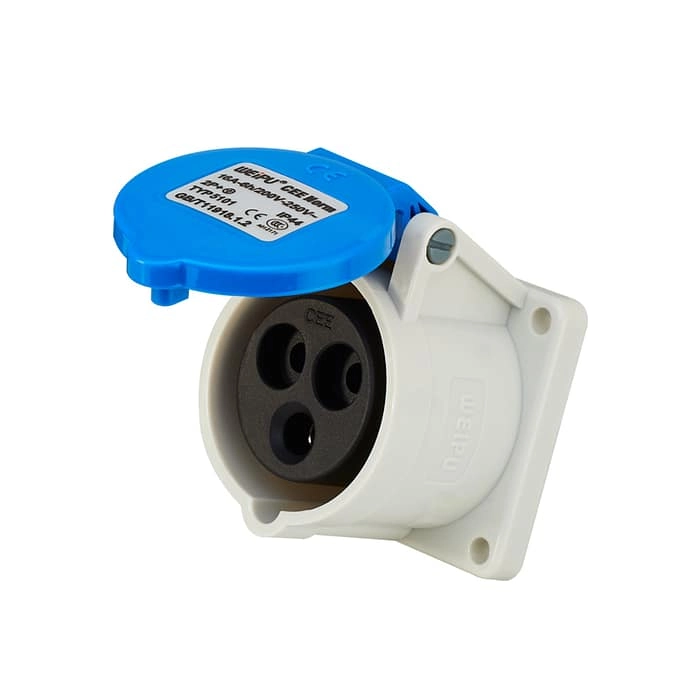
16A 3PIN Panel mount socket TYP5101-IP44
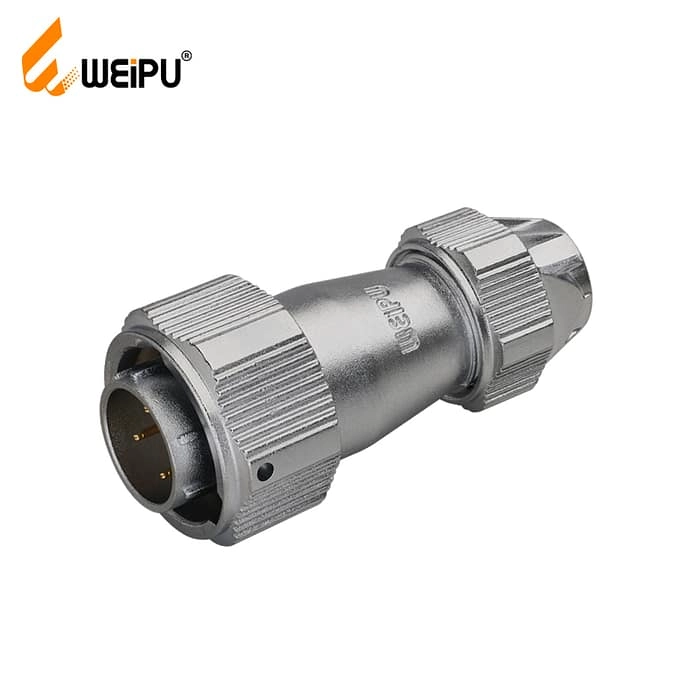
WEIPU WY-TE Series Waterproof Electrical Plug
With metal clamping-nut IP67, Threaded, Zinc alloy with chrome plating, PPS
WEIPU WY-TE IP67 circular connectors are waterproof electrical plugs with metal clamping-nut, which are durable, safe and easy to assemble with your all devices.With the metal clamping-nut and threaded design, these waterproof electrical plugs ensure high security and super stable connection. It’s an ideal waterproof connector for your applications.
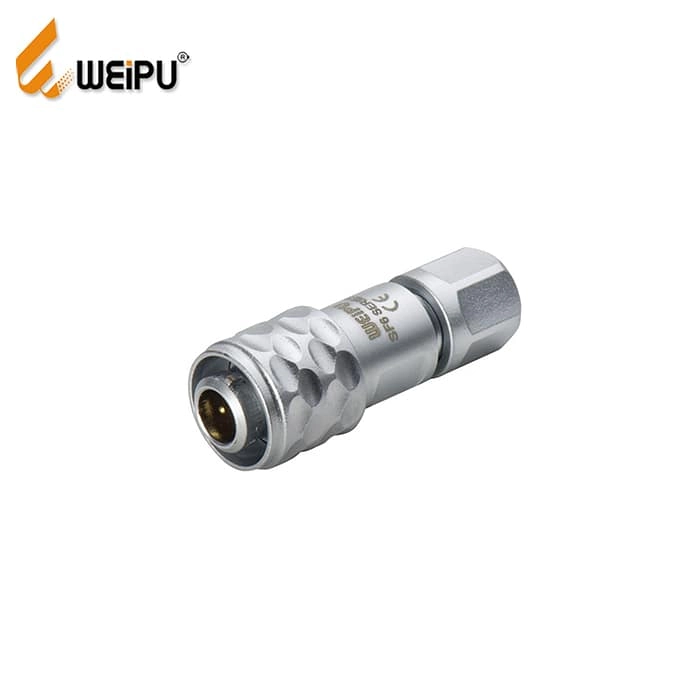
SF610B/P SF610B/S Cable connector IP67
Mate with SF611B, SF612B, SF615B
Get in Touch
Request Related Resources about Industrial Connections & Solutions
If you require technical details, product guides, or specific recommendations from a premier connector manufacturing corporation, please send us your request.
We provide expert support for custom electrical connectors, offering OEM/ODM customization and dedicated distributor cooperation assistance.
Weipu Building, No. 111, Baihua Road, Liwan District, Guangzhou, Guangdong China
© 2026 WEIPU. All Rights Reserved.
Whatsapp: +8618102298073
WEIPU
WEIPU
WEIPU
WEIPU