






Power Automate Connector Security: Permissions, Data Policies, and Compliance
- How to govern connector access and workflow permissions
- Separate environment access from connection authority
- Apply least privilege to connections and credentials
- Use data policies to control connector combinations
- Classify connectors according to business risk
- Compare ad hoc configuration with governed deployment
- Build compliance evidence into the automation lifecycle
- Assess data handling beyond the connector label
- Monitor changes, exceptions, and operational ownership
- Coordinate cloud workflow governance with industrial connectivity
- Keep digital permissions and physical interfaces distinct
- Make supplier and project reviews specific
- Frequently Asked Questions
Power Automate connector security is not a single setting: it is the combined governance of user permissions, connection credentials, data loss prevention (DLP) policies, environment strategy, monitoring, and the external services that receive workflow data. A defensible program assigns least-privilege roles, classifies connectors by business risk, restricts inappropriate data combinations, reviews each connector’s authentication and data handling, and maintains evidence for audits. Microsoft Power Platform administrators can apply DLP policies at tenant or environment scope, while organizations remain responsible for validating their own regulatory obligations, supplier terms, retention rules, and data residency needs.
How to govern connector access and workflow permissions
Separate environment access from connection authority
Access to a Power Platform environment, permission to edit or run a flow, and authority to use a particular connection are related but distinct controls. A user who can create an automated workflow may still need an authorized connection to Microsoft 365, a database, or a third-party service. Conversely, sharing a flow does not automatically make every underlying connection appropriate for every collaborator. Project owners should map each workflow’s owners, co-owners, run-only users, connection references, and data destinations before deployment.
Use role-based access to limit environment administration and development privileges to people who need them. Separate development, test, and production environments where operational risk warrants it, and avoid granting broad maker or administrator rights merely to simplify onboarding. Microsoft’s environment overview describes environments as containers for apps, flows, and associated resources; that boundary can support a controlled lifecycle when access and deployment practices are designed deliberately.
For each workflow, document who owns the business process, who is responsible for technical support, and what happens when an employee changes roles or leaves. A personal connection can create an operational dependency if a flow continues to rely on one employee’s account. Use a supported organizational identity and connection approach where available, and confirm connector-specific requirements rather than assuming every service supports the same authentication model.
Apply least privilege to connections and credentials
Least privilege means granting only the permissions needed for the workflow’s defined purpose. Before approving a connection, verify the identity used, the access scope requested, the resources it can reach, and whether the same credential is reused across unrelated flows. Avoid placing passwords, tokens, or other secrets in flow actions, plain-text notes, or unprotected configuration fields. Use approved secret-management and identity practices, and establish a rotation and revocation process that accounts for dependent workflows.
Connection ownership should be explicit. Assign a business owner for the data purpose and a technical owner for maintenance; use connection references in solution-based deployments to make lifecycle management clearer. Test access changes in a non-production environment, because revoking a connection or narrowing permissions can interrupt scheduled jobs, approvals, and downstream integrations. A change record should identify affected flows and include a rollback or recovery plan.
Use data policies to control connector combinations
Classify connectors according to business risk
Connector catalogs include Microsoft services, third-party platforms, and custom integrations, but availability is not evidence of approval. A connector may transmit business records to a service outside the organization’s approved boundary, invoke privileged actions, or create a new route for regulated information. Establish a review process that considers data sensitivity, business purpose, authentication method, vendor assurances, logging, retention, geographic processing, and the impact of service outages.
Microsoft Power Platform DLP policies allow administrators to classify connectors into groups such as Business, Non-business, and Blocked. Policies can restrict combinations of connectors in the same app or flow, reducing the chance that information from an approved business system is sent through an unapproved service. The specific effect depends on policy scope, connector classification, and platform behavior, so administrators should test intended scenarios and exceptions. See Microsoft’s data policies documentation for current policy concepts and configuration guidance.
Classification should reflect the organization’s actual data flows rather than a simple brand-based distinction. For example, a business-approved collaboration connector may still be inappropriate for a workflow containing health, payment, export-controlled, or confidential engineering data unless the relevant use has been assessed. Custom connectors deserve particular scrutiny because their behavior, endpoints, and authentication configuration are defined by the organization or a supplier.
Compare ad hoc configuration with governed deployment
The table summarizes practical differences between informal connector use and a controlled operating model. It is a governance comparison, not a claim that any single platform setting guarantees compliance.
| Control area | Ad hoc approach | Governed approach | Operational benefit |
|---|---|---|---|
| Environment access | Broad maker or administrator access for convenience | Role-based access, separate lifecycle environments, periodic review | Reduces unauthorized changes and limits the impact of mistakes |
| Connector use | Users select available services without a documented risk review | Approved connector inventory with business purpose and owner | Makes data destinations and accountability easier to assess |
| Data movement | No consistent restriction on mixing services | DLP classifications and policies tested against real workflows | Helps prevent prohibited connector combinations |
| Credentials | Connections tied to individuals without continuity planning | Named ownership, supported organizational identity, rotation and revocation procedures | Improves continuity and reduces unmanaged access |
| Change and evidence | Flow edits and exceptions handled informally | Documented review, testing, approvals, monitoring, and exception expiry | Supports incident response and audit preparation |
Policies should be tested against representative workflows before broad rollout. A classification that is too permissive can allow risky combinations; one that is too restrictive can disrupt legitimate operations and encourage shadow automation. Pilot changes with process owners, review blocked-flow reports and exceptions, and communicate a clear path for requesting a connector or policy change. Microsoft’s DLP policy guidance should be checked during implementation because available controls and administration details can evolve.
Build compliance evidence into the automation lifecycle
Assess data handling beyond the connector label
A connector name alone does not establish what happens to information after a flow runs. Record the categories of data involved, the purpose of processing, the receiving service, the applicable retention period, and any transfer or subcontracting considerations. Review the relevant service documentation and contractual terms for the actual plan and configuration in use. Where a workflow handles personal data, the organization should determine its responsibilities under applicable privacy law rather than treating a platform feature as a substitute for legal and security review.
The EU General Data Protection Regulation sets obligations for organizations processing personal data within its scope, including principles such as purpose limitation, data minimization, and storage limitation. Applicability depends on the organization and processing context. A practical workflow inventory can help privacy and security teams evaluate those obligations by showing which systems exchange data, why the exchange occurs, and who can access the resulting records.
For an information security management perspective, ISO/IEC 27001 specifies requirements for establishing, implementing, maintaining, and continually improving an information security management system. Certification or alignment does not automatically certify an individual flow as compliant. Instead, organizations can use their risk-management and control processes to determine how automation assets should be approved, monitored, and reviewed.
Monitor changes, exceptions, and operational ownership
Connector security changes over time: services add capabilities, owners change, and business processes introduce new data fields. Review flow inventories and policy exceptions on a defined schedule and after material changes, such as a new connector, a new data category, a new supplier, or a change in authentication. Monitoring should identify inactive owners, failed runs, unexpected volume changes, and repeated policy exceptions. Retain records according to the organization’s approved evidence and retention requirements.
For security-control design, the NIST SP 800-53 Rev. 5 catalog provides a broad set of security and privacy controls, including access-control and audit-related controls. It is a control reference, not a Power Platform configuration checklist. Security teams can map relevant organizational controls to platform administration, identity management, change review, and logging procedures, then document where additional safeguards are needed.
A useful audit package includes the flow’s business purpose, owner, environment, connectors, data categories, permission model, DLP policy coverage, approval history, test results, exception rationale, and review date. This record shortens procurement and assurance reviews because reviewers can see how the workflow is governed rather than relying on a general statement that the platform is secure. It also helps operations teams restore service when a credential expires or a supplier endpoint changes.
Coordinate cloud workflow governance with industrial connectivity
Keep digital permissions and physical interfaces distinct
Organizations that manage factory operations may also procure circular connectors, industrial connectors, or Heavy Duty Connectors for equipment and infrastructure. These products address physical electrical or signal connection requirements; they do not secure cloud identities, flow permissions, or connector-based data transfers. The distinction matters in procurement: a robust physical interface cannot compensate for excessive cloud access, while a well-governed workflow does not replace appropriate electrical, mechanical, environmental, and installation requirements for industrial equipment.
Our approach to evaluating these areas is to keep requirements traceable across the full system boundary. Workflow owners should specify data access, destinations, and operational responsibilities; equipment buyers should separately define the application conditions, interface requirements, and relevant product documentation for the physical connection. When a project links production systems to cloud services, involve IT security, OT engineering, procurement, and process owners in a joint review so neither digital nor physical assumptions are left implicit.
Make supplier and project reviews specific
For cloud services, buyers should request current documentation on authentication, data processing, service availability, audit capabilities, and contractual responsibilities for the intended use. For industrial components, procurement teams should evaluate product specifications and evidence relevant to the equipment application rather than inferring cybersecurity performance from a connector category or marketing description. Keep acceptance criteria measurable, identify the party responsible for integration, and confirm how changes will be handled over the expected service life.
This joined-up review supports realistic total-cost decisions. A low-friction workflow that lacks an owner can create support costs and business interruption; a physical component selected without application-specific verification can create installation or maintenance issues. Clear requirements, controlled changes, documented approvals, and defined ownership help buyers compare suppliers and implementation options on operational fit rather than on labels alone.
Contact our team to discuss industrial connectivity requirements or review our circular connector, industrial connector, and Heavy Duty Connector product options.
Frequently Asked Questions
What does connector security mean in Power Automate?
It means governing who can create and run workflows, which connections and credentials they can use, what data connectors can exchange, and how those workflows are monitored and reviewed.
How do DLP policies help protect Power Automate workflows?
DLP policies classify connectors into groups such as Business, Non-business, and Blocked, and can restrict combinations of connectors in an app or flow to help prevent inappropriate data movement.
Does sharing a flow automatically share its connections?
No. Flow access and connection authority are distinct. Project owners should review flow permissions, connection ownership, run-only users, and the credentials used by underlying connections.
How should organizations manage connector credentials?
Apply least privilege, document connection ownership, avoid embedding secrets in flow actions or unprotected fields, and establish supported credential rotation and revocation procedures.
Do Power Platform DLP policies guarantee regulatory compliance?
No. DLP policies are a governance control, not a guarantee of compliance. Organizations must assess applicable legal obligations, data purposes, retention, supplier terms, and processing locations.
What should an audit record for an automated workflow contain?
A useful record includes the workflow purpose and owner, environment, connectors, data categories, permission model, DLP coverage, approval history, test results, exceptions, and review date.
Emerging Harness Cable Assembly Trends for Industrial Buyers
Customizable Professional Socket with Cap: Options for OEMs
Modular Distribution Boxes for Scalable Installations
Waterproof Connector Quality Control: IP Ratings, Tests, and Inspections
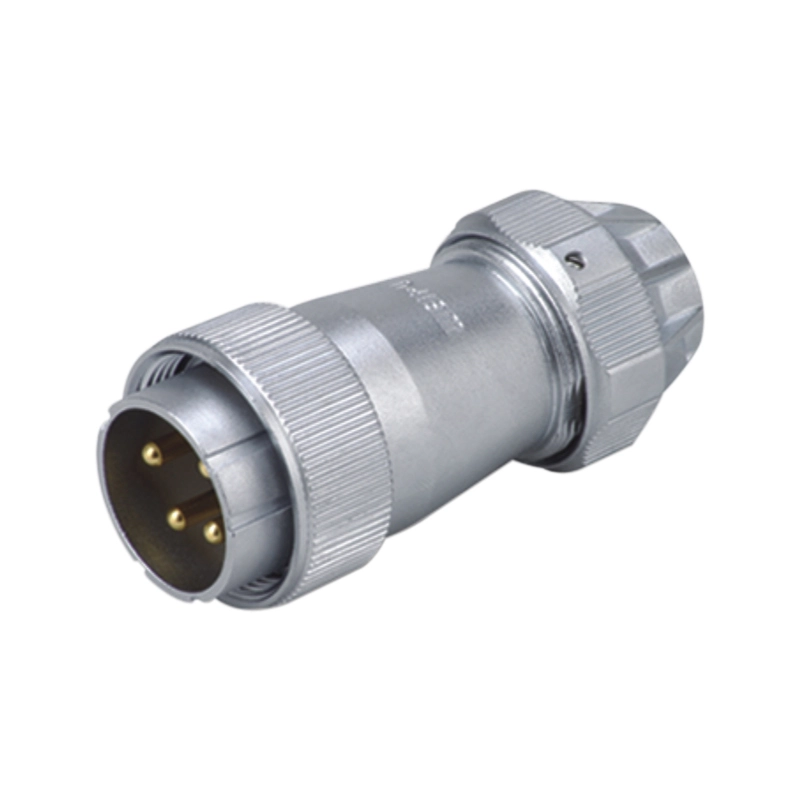
Weipu WF Series Industrial Threaded Connectors with IP67 Protection
WEIPU WF Series Industrial Threaded Connectors offer robust IP67 protection, ensuring reliable performance in harsh environments. Designed for secure, waterproof connections, these IP67 connectors are ideal for industrial applications requiring durability and stability. Trust WEIPU for quality and safety.
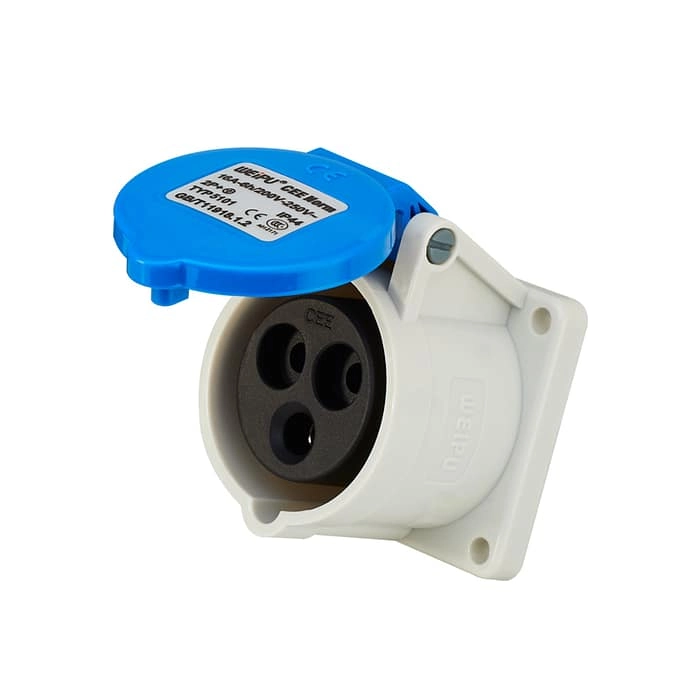
16A 3PIN Panel mount socket TYP5101-IP44
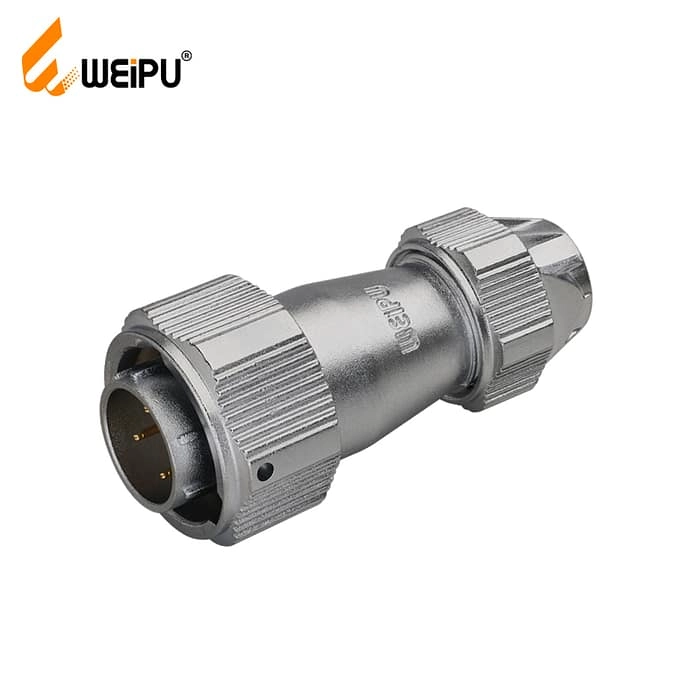
WEIPU WY-TE Series Waterproof Electrical Plug
With metal clamping-nut IP67, Threaded, Zinc alloy with chrome plating, PPS
WEIPU WY-TE IP67 circular connectors are waterproof electrical plugs with metal clamping-nut, which are durable, safe and easy to assemble with your all devices.With the metal clamping-nut and threaded design, these waterproof electrical plugs ensure high security and super stable connection. It’s an ideal waterproof connector for your applications.
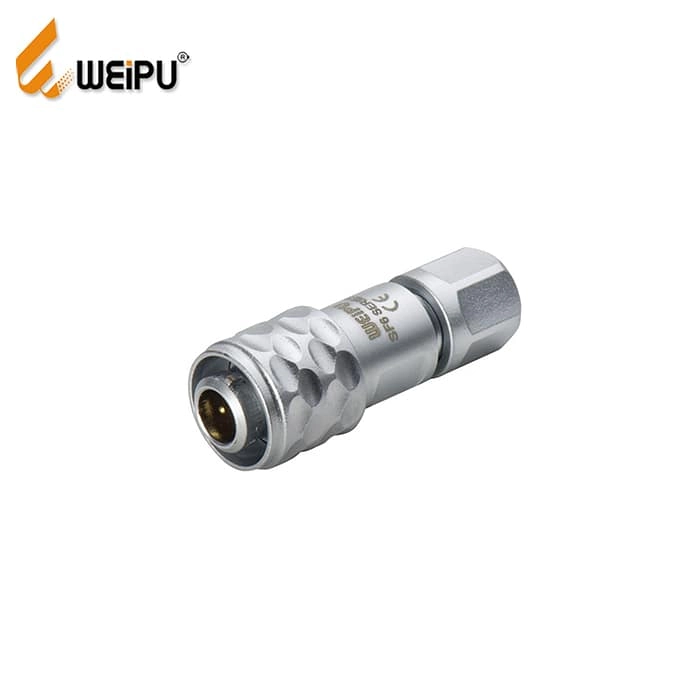
SF610B/P SF610B/S Cable connector IP67
Mate with SF611B, SF612B, SF615B
Get in Touch
Request Related Resources about Industrial Connections & Solutions
If you require technical details, product guides, or specific recommendations from a premier connector manufacturing corporation, please send us your request.
We provide expert support for custom electrical connectors, offering OEM/ODM customization and dedicated distributor cooperation assistance.
Weipu Building, No. 111, Baihua Road, Liwan District, Guangzhou, Guangdong China
© 2026 WEIPU. All Rights Reserved.
Whatsapp: +8618102298073
WEIPU
WEIPU
WEIPU
WEIPU