







Power Automate Connectors: Standard vs. Premium for Business Workflows
- How workflow integration tiers shape automation architecture
- What a connector does in a business process
- How standard and High Quality classifications differ
- Why the classification must be checked at design time
- Standard versus High Quality: a practical buyer comparison
- Compare connector fit, licensing, and operational impact
- Choose based on the business requirement, not the label
- Build a defensible total-cost estimate
- Governance, rollout, and manufacturing workflow considerations
- Control data access and connection ownership
- Use a staged implementation and operational checklist
- Connect digital workflows to physical product operations
- Frequently Asked Questions
Power Automate connectors are the integration layer that lets a workflow exchange data with business applications, databases, and services. Standard options often cover everyday Microsoft 365 processes, while High Quality options can extend automation to additional enterprise systems, including SQL Server and Salesforce, and generally require eligible High Quality licensing. The right choice depends on the applications involved, the people or processes running the flow, licensing entitlements, data protection rules, and operational scale—not simply on whether a connector is labeled standard or High Quality. Buyers should confirm classifications and current plan terms in Microsoft documentation, then test the proposed design with realistic data and ownership conditions.
How workflow integration tiers shape automation architecture
What a connector does in a business process
A connector provides a defined way for a cloud flow to communicate with a service. Depending on the service and available actions, a flow can create or update a record, retrieve information, send a notification, or respond to an event. This allows a business process to link steps that would otherwise depend on manual copying, email handoffs, or separate application screens. For example, a service request might arrive through a form, create a record in a work queue, and notify the responsible team.
Connector availability is not the same as a complete workflow design. Project owners still need to confirm which actions the integration supports, what authentication method is required, what data is transferred, and how failures are handled. A connector might be available but unsuitable for a particular process if it cannot perform a required operation, if its identity model conflicts with internal policy, or if its service limits do not match the expected workload. The Microsoft connector reference is a practical starting point for checking connector details and classifications.
How standard and High Quality classifications differ
Standard connectors commonly cover Microsoft and widely used cloud services that organizations use for email, collaboration, and routine business processes. Examples listed by Microsoft include SharePoint and Office 365 Outlook. High Quality connectors include integrations that Microsoft designates as High Quality, such as SQL Server and Salesforce. Classification belongs to the individual connector, not to a general judgment about whether a workflow is simple, important, or technically advanced. Buyers should check the current standard and High Quality connector directories instead of relying on an old project spreadsheet or assumptions based on the application’s popularity.
This distinction affects licensing and governance decisions. A flow that uses only standard connectors may fit within certain existing entitlements, but the exact rights depend on the organization’s subscription and the flow’s use and ownership model. Adding a High Quality connector can change the licensing requirement even when the workflow has only a few steps. Microsoft’s Power Automate licensing overview describes license types and capabilities; administrators should confirm current terms for the specific users, processes, and environment before deployment.
Why the classification must be checked at design time
Connector choice can affect architecture well before a flow is built. If the required data sits in a High Quality-connected system, a standard-only prototype may demonstrate the business idea but fail to represent the final cost or deployment permissions. Conversely, selecting a High Quality route without checking whether a supported standard integration already meets the requirement can add avoidable licensing and administration work. During discovery, list the source and destination applications, the actions needed, the connection identities, and the expected flow owners. Then verify each connector’s classification and current licensing implications.
Standard versus High Quality: a practical buyer comparison
Compare connector fit, licensing, and operational impact
The table summarizes common planning differences. The connector examples reflect Microsoft’s published classifications; classifications and licensing entitlements can change, so validate them against current documentation before purchase or release.
| Decision factor | Standard connector route | High Quality connector route | Buyer action |
|---|---|---|---|
| Published examples | SharePoint and Office 365 Outlook are listed as standard connectors. | SQL Server and Salesforce are listed as High Quality connectors. | Check the current standard connector list and High Quality connector list. |
| Licensing review | May be covered by qualifying existing plans, depending on the user, flow, and plan terms. | Usually requires eligible High Quality rights; confirm the applicable plan and usage model. | Map each flow to its owner and run context, then verify the current entitlement. |
| System coverage | Often suitable for common collaboration and productivity processes. | Can support integrations with designated High Quality services and enterprise data sources. | Start from required business actions and data locations, not the connector tier alone. |
| Governance | Still subject to environment controls, data policies, and identity requirements. | Requires the same controls, with additional attention to licensing and connected data sources. | Review data movement, credentials, ownership, and support responsibilities before release. |
| Cost planning | Existing subscription rights may reduce incremental cost, but should not be assumed. | Additional license expense may apply and should be modeled across expected users or processes. | Estimate total cost using Microsoft’s current licensing terms and realistic adoption forecasts. |
Choose based on the business requirement, not the label
For a process that moves information among collaboration tools already covered by the organization’s environment, a standard integration may be the more direct option. A High Quality integration can be appropriate when the required system or action is only available through a High Quality connector, or when a strategic application is central to the process. The relevant comparison is not simply standard versus High Quality; it is whether each candidate can meet functional, security, reliability, and support requirements at an acceptable lifecycle cost.
Document the expected transaction volume, run frequency, number of users, response time expectations, and consequences of a failed run. These inputs help distinguish a small departmental convenience from an operational workflow that needs formal monitoring and escalation. Also consider connector limits and platform behavior. Microsoft publishes service limits and configuration guidance that project teams should review when a flow handles recurring or higher-volume work. A design that passes a low-volume demonstration may need adjustment before organization-wide use.
Build a defensible total-cost estimate
License price is only one part of the business case. Buyers should account for administration, environment management, testing, monitoring, support coverage, and future changes to connected applications. Estimate costs against the likely operating model: who creates the flow, who owns its connections, whether it runs for an individual or a broader process, and how the organization handles staff changes. A workflow that depends on a single employee’s account may create continuity risk even if its initial build is inexpensive.
Compare that operating cost with measurable process outcomes, such as reduced rekeying, shorter handling time, fewer missed handoffs, or improved record completeness. Use a pilot to establish a baseline and track results rather than presenting projected savings as guaranteed returns. If a High Quality option is needed, the business case should identify the specific capability it unlocks and the value expected from that capability. If a standard path meets the same requirements, document why a more complex alternative is still justified before procurement approval.
Governance, rollout, and manufacturing workflow considerations
Control data access and connection ownership
Connector selection determines which services a flow can reach, but organizational policy determines whether that data movement is allowed. Administrators should classify information, decide which services may be combined, and establish how credentials are stored and maintained. Microsoft’s data loss prevention policy guidance explains how policies can group connectors and control combinations in environments. Policy design should involve security, IT, and process owners so that safeguards protect sensitive information without blocking legitimate work.
Assign a durable business owner and technical support contact to every production workflow. Define how connection credentials are refreshed, how errors are reviewed, and who approves changes to triggers, destinations, or data fields. Separate development and production work where the organization’s governance model requires it, and test permission changes before they affect live processes. These controls reduce the chance that an employee departure, application update, or policy change silently interrupts an important automation.
Use a staged implementation and operational checklist
A disciplined rollout begins with process mapping: identify the trigger, decisions, data fields, exceptions, and final system of record. Confirm the intended connector actions and licensing before building. Next, test normal transactions and failure conditions, including missing fields, duplicate submissions, expired credentials, and unavailable downstream services. Make sure that notifications reach an accountable person and that failed runs can be diagnosed without exposing unnecessary sensitive data.
Before release, record the flow owner, business purpose, connector list, environment, data classification, license assumption, test results, and support route. After launch, review run history and user feedback at a defined interval. This creates a repeatable procurement and operations record that can support audits, renewals, and future redesigns. It also helps distinguish a temporary pilot from an automation that has become part of a critical business process.
Connect digital workflows to physical product operations
Manufacturers and distributors can apply the same decision framework to processes around product inquiries, order status, inspection records, and after-sales service. For a supplier handling circular connector, industrial connector, or Heavy Duty Connector products, an internal workflow might route a quotation request, capture inspection outcomes, or alert a service team when a case requires review. These are examples of business processes, not claims about a particular supplier’s systems or capabilities. The connector tier should be selected according to where the relevant records live and which actions the process must perform.
Our practical recommendation is to keep the digital integration decision separate from the physical connector specification while linking both to clear operational requirements. Electrical connectors and software connectors solve different engineering problems, but both require compatibility checks, defined interfaces, and controlled change. A buyer evaluating a product supplier can assess manufacturing and quality evidence separately from the supplier’s workflow tools; a buyer building an automation should assess connector classification, licensing, security, and support separately from the physical products being handled. This distinction avoids confusing shared terminology with shared technical function.
For cross-functional teams, a short decision record can make that separation explicit. List the business process, connected applications, connector tiers, license validation date, data controls, accountable owner, and expected operational outcome. Revisit the record when the application landscape, contract, or workflow changes. This simple discipline improves handoffs between procurement, IT, operations, and finance, and makes it easier to determine whether a workflow still provides value as adoption grows.
To evaluate a workflow integration or explore our circular connector, industrial connector, and Heavy Duty Connector product categories, contact our team for product information and a requirements discussion.
Frequently Asked Questions
What is the difference between standard and premium connectors in Power Automate?
The classification identifies the connector’s licensing tier and the services it can connect to. Standard examples include SharePoint and Office 365 Outlook, while premium examples include SQL Server and Salesforce. Confirm current classifications and licensing for the specific flow before deployment.
Do standard connectors always come at no additional cost?
No. Whether standard connector use is covered depends on the organization’s subscription, the flow’s use and ownership model, and current Microsoft licensing terms. Buyers should validate entitlements rather than assume that standard means free.
Which connectors are examples of premium connectors?
Microsoft lists SQL Server and Salesforce as premium connector examples. Connector classifications can change, so consult the current Microsoft premium connector directory when planning a workflow.
Can a flow use both standard and premium connectors?
A workflow design may involve connectors from different tiers, but the applicable licensing rights must be checked for the complete flow and its users or process context. Confirm the current plan requirements before release.
What should buyers check before deploying a premium-connected workflow?
Confirm connector classification and licensing, required actions, data access and governance rules, connection ownership, expected run volume, failure handling, support responsibilities, and total operating cost. Pilot the workflow with realistic data and test common failure conditions.
How can an organization control data movement between connectors?
Administrators can use environment governance and data loss prevention policies to control connector combinations. Security, IT, and process owners should agree on data classifications and permitted services, then test the policy against legitimate workflow needs.
Waterproof Connector Testing and Certifications for Global Buyers
Wholesale circular connector manufacturer and supplier
How to Choose the Right Female Panel Connector IP67
Top 10 Industrial Power Cable Connectors: Features and Pricing
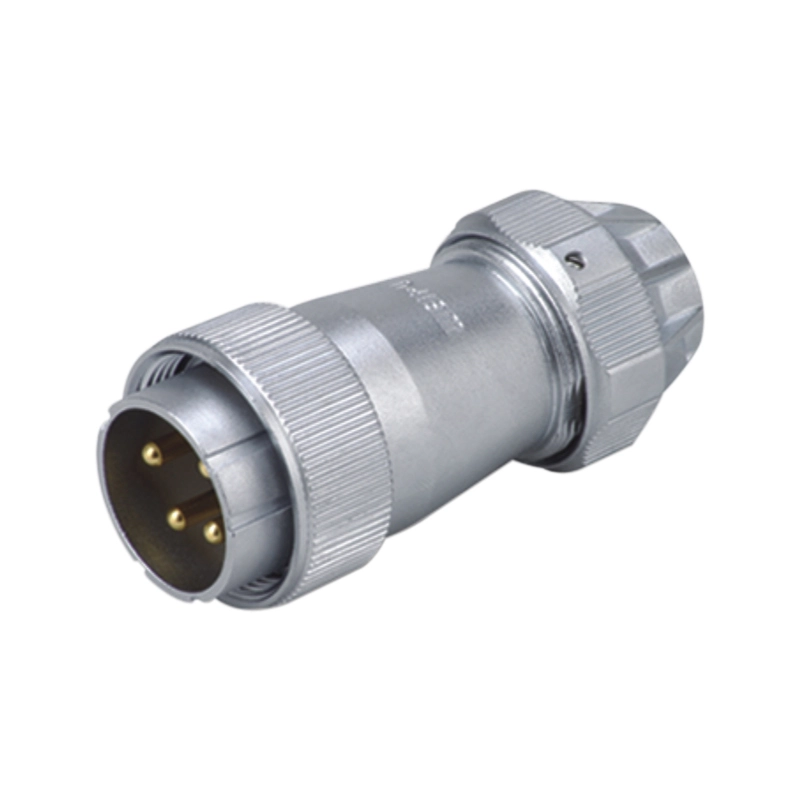
Weipu WF Series Industrial Threaded Connectors with IP67 Protection
WEIPU WF Series Industrial Threaded Connectors offer robust IP67 protection, ensuring reliable performance in harsh environments. Designed for secure, waterproof connections, these IP67 connectors are ideal for industrial applications requiring durability and stability. Trust WEIPU for quality and safety.
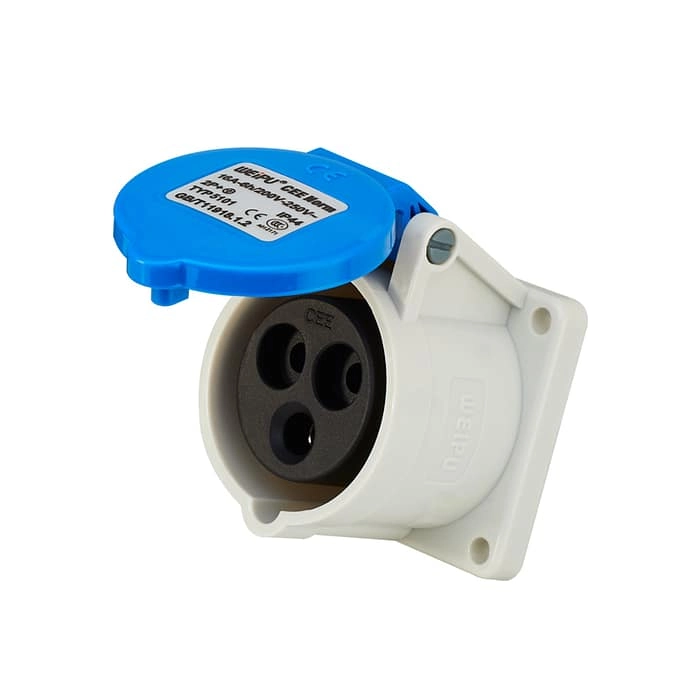
16A 3PIN Panel mount socket TYP5101-IP44
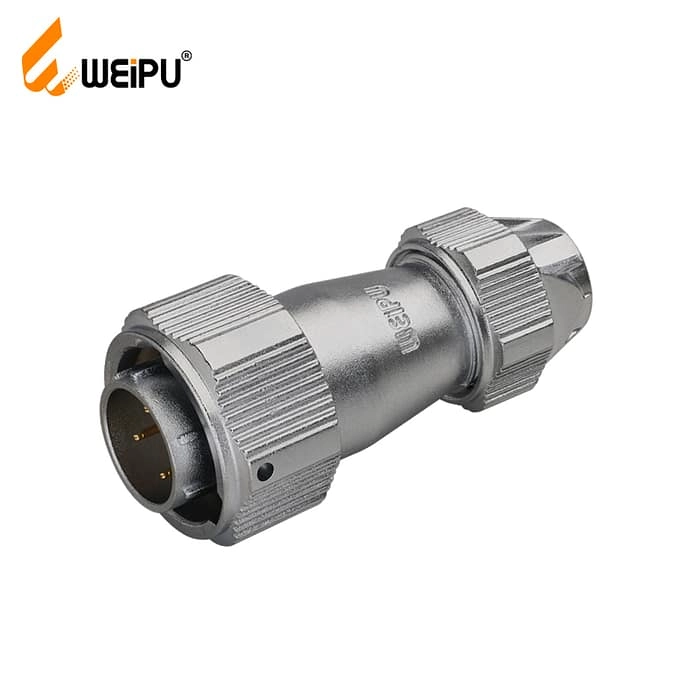
WEIPU WY-TE Series Waterproof Electrical Plug
With metal clamping-nut IP67, Threaded, Zinc alloy with chrome plating, PPS
WEIPU WY-TE IP67 circular connectors are waterproof electrical plugs with metal clamping-nut, which are durable, safe and easy to assemble with your all devices.With the metal clamping-nut and threaded design, these waterproof electrical plugs ensure high security and super stable connection. It’s an ideal waterproof connector for your applications.
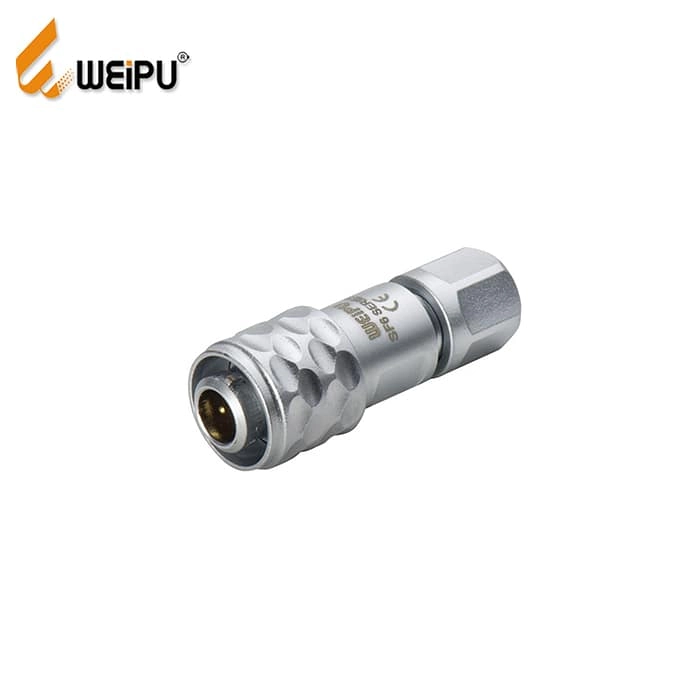
SF610B/P SF610B/S Cable connector IP67
Mate with SF611B, SF612B, SF615B
Get in Touch
Request Related Resources about Industrial Connections & Solutions
If you require technical details, product guides, or specific recommendations from a premier connector manufacturing corporation, please send us your request.
We provide expert support for custom electrical connectors, offering OEM/ODM customization and dedicated distributor cooperation assistance.
Weipu Building, No. 111, Baihua Road, Liwan District, Guangzhou, Guangdong China
© 2026 WEIPU. All Rights Reserved.
Whatsapp: +8618102298073
WEIPU
WEIPU
WEIPU
WEIPU